
/Gradients/gradientHC2.webp)
The Complete Platform for Issue & Ticket Management
Bring complaints, work orders, IT help desk tickets, and more into one hub. With Issuetrak, you streamline workflows, track every request, and deliver faster, more reliable service.

/Icons/humility.png)
/Icons/prize.png)
/Icons/relationships.png)
Design Issuetrak to Match Your Workflow
SCALE
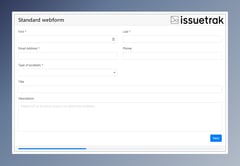
CUSTOMIZE
/Screenshots/Dark%20Mode%20-%20Issue%20Hub.png?width=319&height=169&name=Dark%20Mode%20-%20Issue%20Hub.png)
FLEX
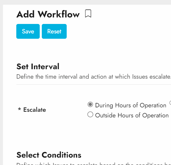
Automate to Accelerate
/Icons/sla.png?width=512&height=512&name=sla.png)
Service Level Agreements
Specify terms that trigger automatic email reminders and alerts when issues fall out of compliance.
/Icons/notification-bell.png?width=512&height=512&name=notification-bell.png)
Notifications
Generate event-based notifications (updates, status changes, etc.) for your issues.
/Icons/comment.png?width=100&height=100&name=comment.png)
Workflows
Centralize Your Communications
/Icons/mutli-channel.png?width=512&height=512&name=mutli-channel.png)
Omnichannel
Submit issues directly via the product, chat. form, email. Available to agents and users.
/Icons/form.png?width=512&height=512&name=form.png)
Custom Webforms
Webforms make ticket creation easy for your users, ensuring you get the exact data points you need.
/Icons/incoming%20email.png?width=512&height=512&name=incoming%20email.png)
Email-to-Ticket Conversion
Use monitored inboxes to automatically generate or update issues.
Gain Strategic Insights
/Icons/reporting.png?width=512&height=512&name=reporting.png)
Custom Reporting
Filter data to gather or share relevant and actionable information.
/small-icons/dashboard.png?width=128&height=128&name=dashboard.png)
Dashboards
Build custom views and view at-a-glance data points.
/Icons/custom-field.png?width=512&height=512&name=custom-field.png)
Surveys
Create your own custom forms across and set them up to be sent out automatically.
Ensure Security & Control
/home/deployment-1.png?width=500&height=500&name=deployment-1.png)
Cloud & On-Premises Options
Decide how you wish to deploy Issuetrak: a safe and secure cloud-hosted option, or ultimate sovereignty with on-premises deployment./Logos/socforserviceorganizationslogosos.webp?width=100&height=100&name=socforserviceorganizationslogosos.webp)
SOC 2 Certified
Compliance with SOC requirements indicates that an organization maintains a high level of information security.
Issuetrak employs strict compliance requirements, tested through on-site audits and independent vendor assessments.
/Icons/identity%20management.png?width=100&height=100&name=identity%20management.png)
User Access Control
- Roles and permissions with more than 55 permissions focused on access control.
- Configuration options to segment access and visibility via Organizations, Departments, or Groups.
- Private data fields accessible only by permission.
- Restricted Searching and Reporting capabilities.
- Customizable Password Policy.
- And more...
No words besides WOW. The landing form is amazing. Adding a New Hire Request button to the Submit Issue page - I didn't even think of that. It's brilliant."
/Icons/good-review.png?width=64&height=64&name=good-review.png)
Solutions For Your Team

/Icons/home/cm-logo.png?width=500&height=200&name=cm-logo.png)
/Icons/home/hd-logo.png?width=500&height=200&name=hd-logo.png)
/Icons/home/cs-logo.png?width=500&height=200&name=cs-logo.png)

/Icons/manufacturing.png)
/Icons/healthcare2.png)
/Icons/capitol.png)
Go beyond the basic feature suite and deliver more capability to you and your customers.
-
Bring added value to your ticket automation process when you collect all the right information the first time. Webforms offer users a smooth, simple process to submit new tickets in real-time without the hassle of login or email roadblocks.
Built to your specifications, your webform can be as simple or complex as you need it to be so you can resolve problems quickly and improve your customer’s overall experience.
Key Features:
-
Issuetrak API integrations for secure issue submission
-
Branding your webform's look to your specifications
-
Support for Custom URLs
-
Multi-page options to give you full control over fillable fields
-
Full data mapping with support for user-defined fields.
-
Embed-option on the page of your choice to your company’s intranet or website
- And more
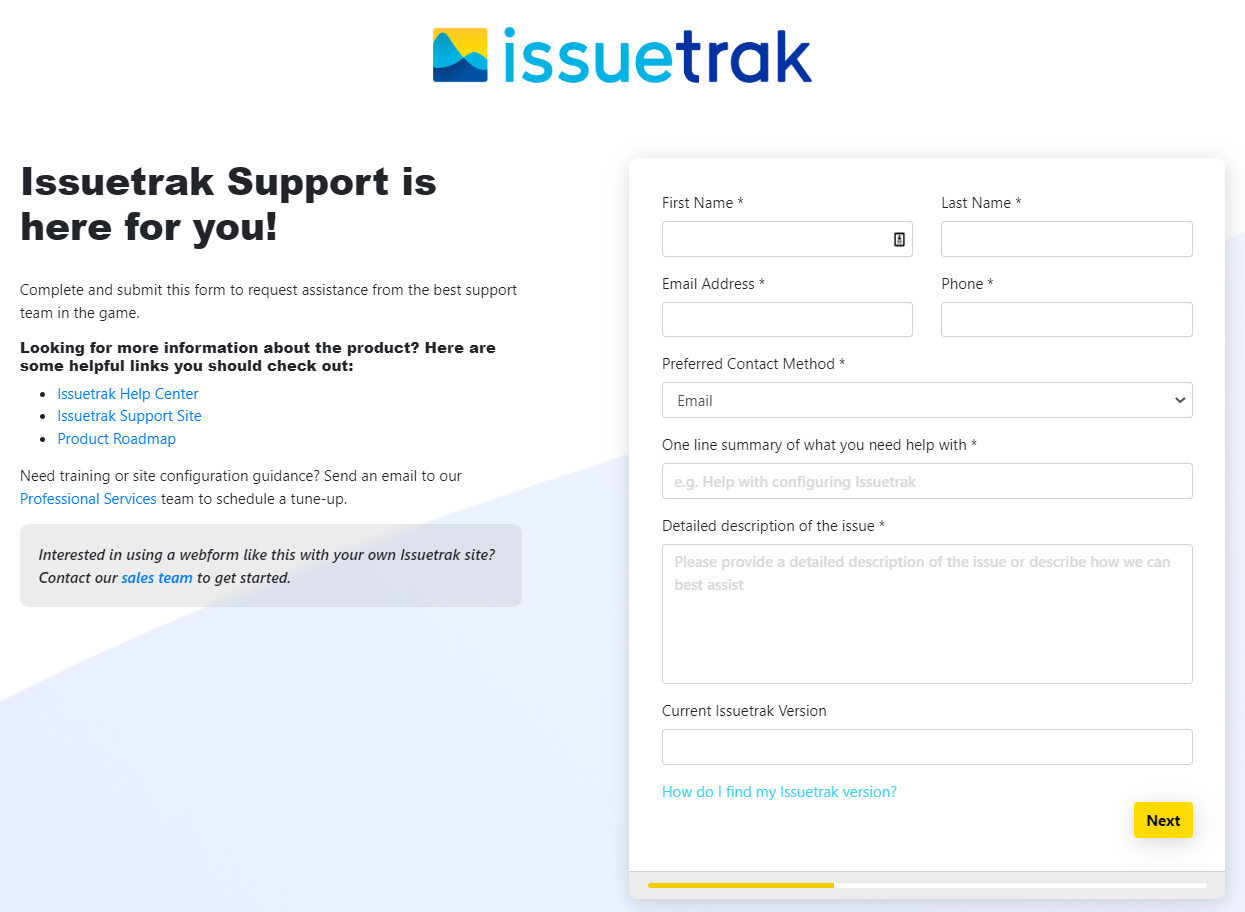
The Issuetrak Support webform was built using the same tools we use to build our customer's webforms.
-
-
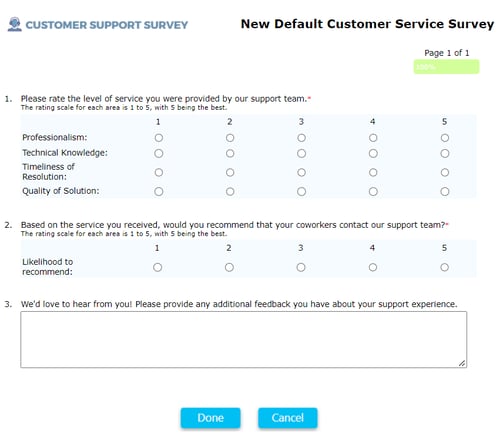
We only get better with feedback. Gauge customer and employee satisfaction with surveys, the easiest way to collect and represent data—made even easier by our Surveys add-on module.
From external customers to internal colleagues, leverage the power of surveys to improve your onboarding process or elevate your product or service to its maximum potential.- Want to find out how your new hires feel about their onboarding experience?
- Want feedback on some potential new products or services?
- Need to know how your employees feel about their latest hardware refresh?
Grow stronger when you let Surveys expand your site’s data collection capabilities.
-
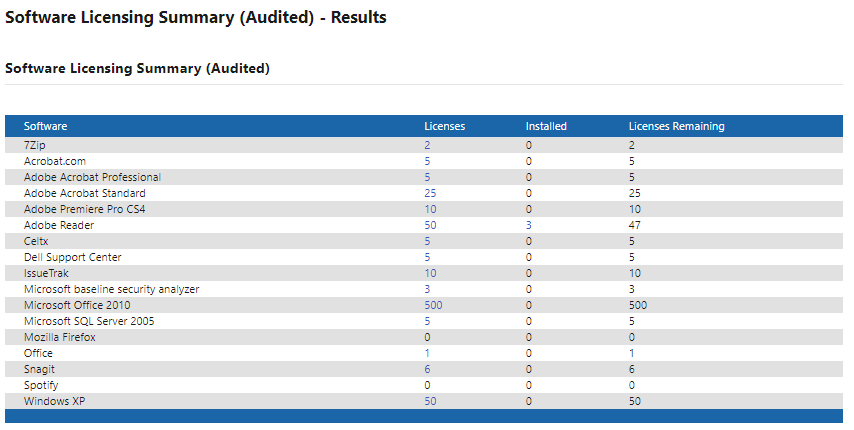
Use the Asset Management module to manage hardware and software information and maintenance, keep licensing updated, and more. With our automatic discovery and tracking utility for PC, Mac and Chrome devices, you’ll reduce manual input and overhead so you can spend your time on more important tasks. With our time-saving barcode scanning feature, create and associate assets directly with barcodes and easily open asset pages or populate fields.
Every organization has assets. While it's easy to think of assets in terms of software, printers and PCs, you can use our Asset Management module to inventory any item your operation demands.
Was a faulty printer the root cause of your last help desk call? Use Asset Management to link assets directly to issues, so you can easily track and manage asset history for quick reference.
Say your service center owns a fleet of vans used for onsite repairs. Use custom fields to describe the asset type in detail. When you add your vans as assets, link them to maintenance issues or track which van responded to an onsite visit.
With the Asset Management module, you’ll never lose sight and always maintain control over your assets.
-
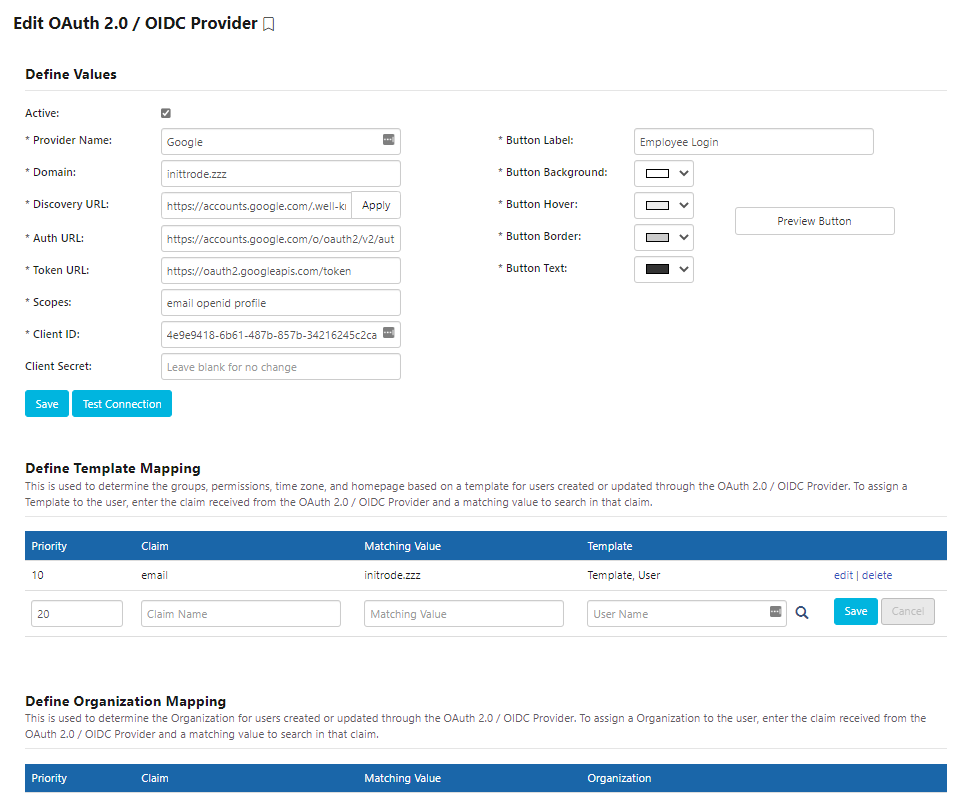
Users have enough to remember. Why require your agents and users to create yet another login?
Save time and energy on memorizing passwords. Instead, take advantage of the variety of authentication options we offer. You have the power and flexibility to decide how users access applications.
Key Features:
- One-click Single Sign-on for a faster, more secure login
- Multi-factor Authentication for topmost security
- Easy migration from LDAP Authentication to your preferred Identity Management Integration
- Integrations include LDAP, Active Directory Federation Services, Azure AD, OAuth 2.0/OIDC
-
Gone are the days of waiting on hold to get a simple question answered! Issuetrak Chat cuts down on needless wait time while answering your queries instantly.
Liven up your conversations and customize your chat thread's look, feel, and placement to match your organization’s font, colors, and more.Key Features:
-
Embed the chat widget on your public support page, your Issuetrak site, or both - the choice is yours
-
Create chat queues and route chat requests to qualified support agents
-
Quickly convert chats to issues through Incoming Email (IEM)
-
Allow agents multiple chat streams to speed up turnaround time on customer solutions
/2022-08-10%2010_25_19-.png?width=386&name=2022-08-10%2010_25_19-.png)
-
-
Our built-in Labor Hours feature already monitors your time spent on requests. But sometimes, you need more.
Streamline reports a step further with our Billing module. Charge time, itemize materials, and add specific line items, prices, part numbers, and descriptions directly to individual tickets, so you can track usages or generate work orders for approval.Key Features:
-
Catalog your materials and labor charges
-
Generate work orders and invoices directly from Issuetrak
-
View time and material data for better reporting and usage tracking
-
Export data into your accounting software
- Assign role-based access controls
.png?width=946&name=Billing%20Module%20(no%20logo).png)
-
/Gradients/gradient3.webp)